Factory Reset ≠ Data Safe: What You Need to Know Before Letting Go

Image Source: freepik.com/storyset
Do you know the phone in your hand can pose a dangerous threat if not treated with conscious care? Smartphones, tablets, and computers contain a lot of personal data in our digital era. People usually factory reset as their last action in safeguarding any of their data when buying a new gadget or getting ready to sell or recycle an old one. Though factory resetting could be the last step you take, most people usually assume their data is removed forever, and hence stumble into a wrong sense of security. This article looks at the facts of factory resets, risks connected with leftover data, and what you must know about safely erasing your device.
However, this generally accepted custom is not always as useful as people assume. Factory resets in practice might not completely erase all data, especially from internal storage or external memory like SD cards. Deleted files can occasionally be recovered with some effort through tools or software, any skilled person can possibly expose sensitive information to hostile agents.
Today, we will discuss the facts and fables about factory resets, the possible hazards of leftover data, and the vulnerabilities that remain even after a factory reset. We will also examine the consequences for data security and privacy, specifically in relation to second-hand marketplaces and electronic recycling. Lastly, we will look at the top recommendations and safer alternatives, such as encryption, secure wiping tools, and guidelines on selling your laptop or computer in a way that guarantees safe and effective data destruction.
By realizing the constraints of factory resets and acting proactively, people can greatly lower the risk of accidental data exposure and protect their digital footprints in a society where information is among the most priceless commodities.
What is a Factory Reset?
A factory reset (also known as a hard reset or master reset) is the method of returning the device to its original system state by erasing all data, settings, and software. This normally helps prepare a device for sale or disposal, or when a device is not performing ideally. However, it is important to understand that a factory reset will not erase the operating system or firmware, and thus, the data may be retained on a device.
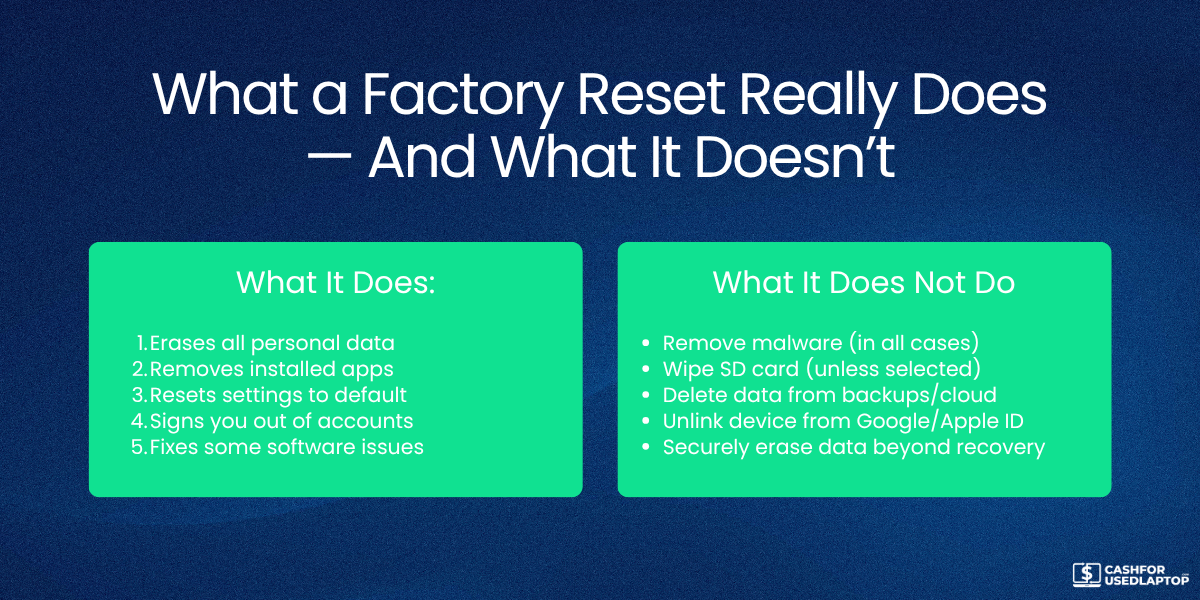
What a Factory Reset Does.
Deletes User’s Data:
A factory reset erases all data stored on the device, including:
-
Pictures, movies, music, and videos
-
App data and installed applications
-
Messages, contact information, call history
-
Customized settings and configurations
Returns the Device to its Default State:
The device returns to its default “out-of-the-box" state. This includes:
-
Reverted system settings (display, network, sound) to default
-
Retained pre-installed apps might have their updates reversed or reinstalled
What a Factory Reset Does Not Do?
Not Removes or Downgrades Firmware:
Firmware, software updates, and operating system upgrades are not deleted unless specifically removed, and rooting or custom ROMs could endure.
Might Not Completely Erase All the Data:
Although most obvious data is erased, some information could still be accessible:
-
Data can stay on storage media because of how deletion operates, that is, files are flagged for deletion but not overwritten.
-
Specialised data recovery technologies could retrieve whole files or just bits.
-
Deleted data may still be present in memory until it is replaced. This is a hazard, especially if the device is repurposed or sold without safe wiping.
Does Not Remove Encryption Keys (Some Cases):
Should the device employ encryption, such as Android File-Based Encryption or iOS full disk encryption, the keys might remain unless specifically erased. If keys survive, encrypted information may still be accessible under particular circumstances.
Does Not Affect External Storage:
Data on cloud servers, USB drives, or SD cards is not deleted unless it is done deliberately.
A Factory reset only affects internal storage unless one decides to wipe external media.
The Drawbacks of Factory Reset
Let’s dig a bit deeper now. Although a factory reset is useful for getting a device ready for resale and troubleshooting, it is not a foolproof way to erase every piece of information. Its restrictions arise from several different elements:
1. Residual Data
Some information could still exist on the device following a factory reset and can be retrieved with particular data recovery software. For instance, research conducted by the U.S. Naval Postgraduate School discovered that user-specific configuration data, including photos, audio files, documents, phone numbers, email addresses, and geolocation data, remained retrievable even after a factory reset on several mobile devices.
2. Hidden Partitions
Some devices have recovery or hidden partitions unswayed by a factory reset. These partitions can store data kept accessible even if the device is reset.
3. Collapse of Encryption Keys
On certain devices, encryption keys might not be lost during a factory reset. Data is encrypted and decrypted using these keys; if they stay unchanged, the data may be decrypted and accessed.
4. Flash Storage Behavior
Factory resets on flash storage devices like smartphones and SSDs may not erase all information. Some data blocks could stay intact and reachable because of wear leveling and other techniques.
The Illusion of Safety: Factory Resets Are Not Enough
Many users think that doing a factory reset on their gadgets ensures that all personal information is gone. This is, nevertheless, a common misconception. By wiping user data, apps, and settings, a factory reset mostly brings the device back to its original configuration. Although this procedure erases obvious data, it usually leaves residual information that specialized tools can recover. For example, a study done by University of Cambridge researchers discovered that sensitive data such as emails, text messages, and access tokens remained recoverable even after a factory reset on several Android devices.
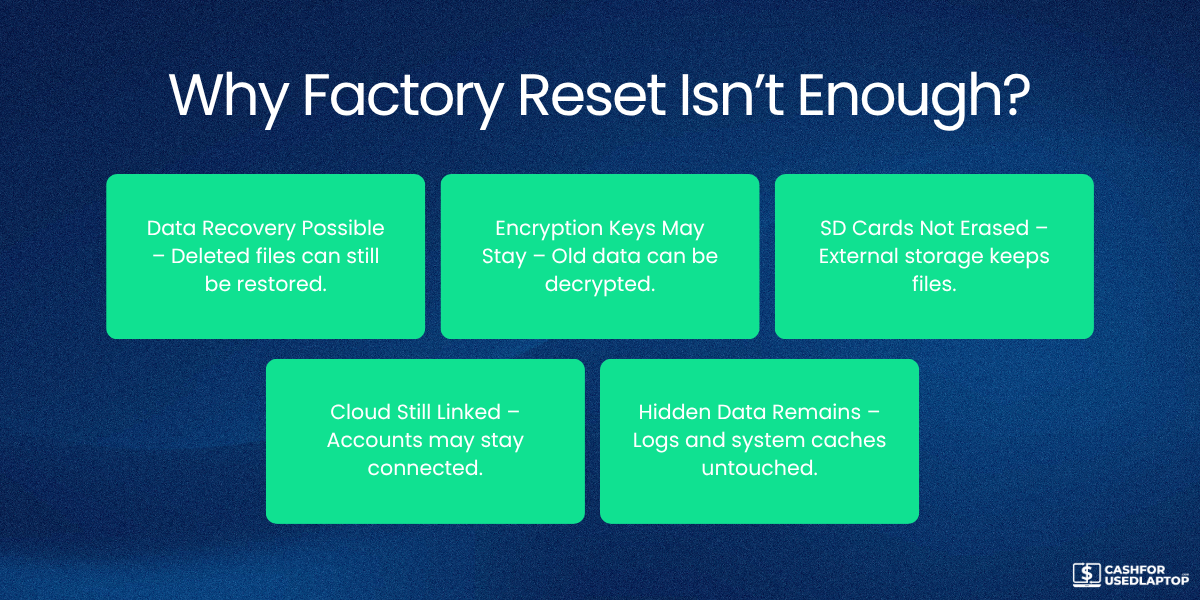
This mostly happens because a factory reset does not erase the data sections on the storage device. It declares the space open for fresh data and recovers the old data until it is replaced by new information. Thus, depending just on a factory reset to protect personal information might cause unintentional data leakage.
Data Left Behind: The Residue That Could Return to Haunt You
Certain categories of data can persist on a device and be retrieved even after it has been factory reset. Residual data can consist of personal information including, contacts, text messages, emails, and access tokens. For instance, a study conducted by University of Cambridge researchers revealed that 80% of the devices tested were able to recover the Google master token, therefore permitting access to the Google account of the prior owner.
Several elements contribute to the persistence of this information. First, a factory reset just marks the data sectors on the storage device as ready for new information; it usually does not erase them. Second, certain gadgets keep information in system partitions immune to the reset procedure. Finally, improper deletion of encryption keys and other sensitive information could expose data to recovery.
Therefore, one must take extra measures to guarantee that all data is safely erased before selling or discarding a gadget.
Encryption Is Not Foolproof Unless You Apply It Correctly
Although encryption is not foolproof, it is a strong instrument for guarding data. Encrypted data may still be at risk of recovery if encryption keys are not correctly controlled or if they remain available after a factory reset. For example, flaws in the factory reset procedure allowed researchers at the University of Cambridge to recover Google credentials from Android devices even with full-disk encryption switched on.
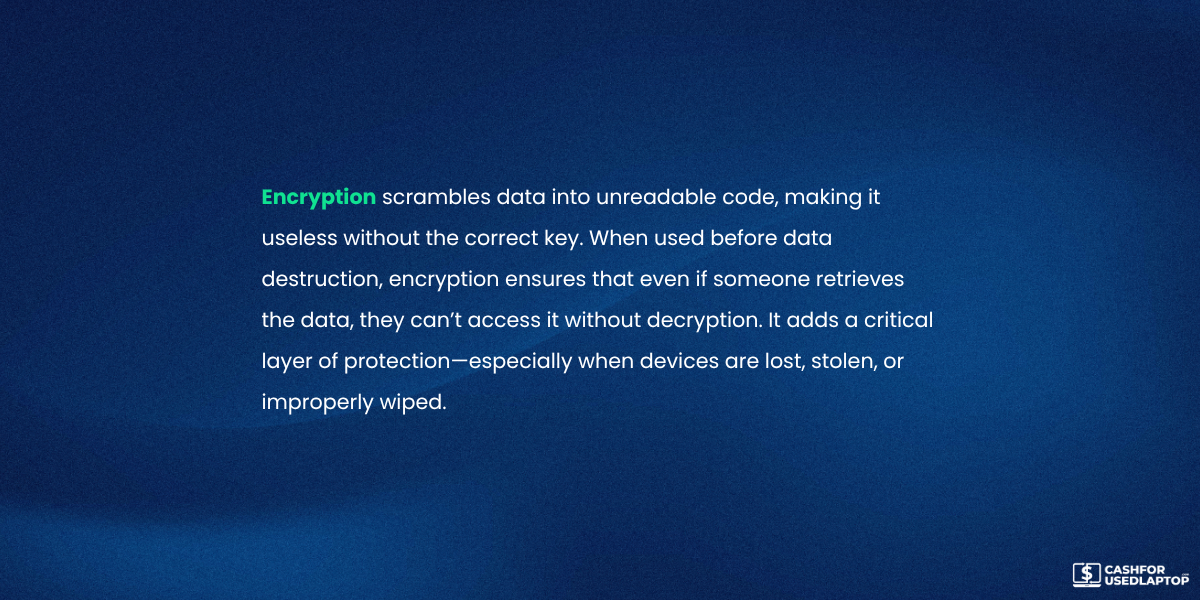
Properly managing encryption keys and using strong, distinct passwords will guarantee that encryption results in efficient defense. Furthermore, some specialists advise a technique called "crypto-shredding," which entails deleting or overwriting encryption keys to make encrypted data unrecoverable.
Taking these precautions will help you improve the protection of your encrypted data and lower the risk of unwanted access.
The Right Way to Let Go: Top Tip for Safe Data Disposal
More than just a straightforward factory reset is needed to release a device, whether you are selling, giving it away, recycling, or discarding it.
-
If you truly want to remove all of your personal or business information, you need to do careful, layered device wiping. One of the most crucial initial steps is to allow full-disk encryption prior to the reset process even beginning. This guarantees that data leftovers are encrypted and unreadable without the proper keys.
-
Once encrypted, carry out a factory reset; however, do not stop here. Utilize tools for data erasure made for safe deletion. On Android, applications like iShredder or Blancco Mobile are considerable. On computers, tools including Darik’s Boot and Nuke (DBAN), Parted Magic for Windows/Linux, and Disk Utility (with secure erase choices) for macOS, can cover the whole drive many times.
-
Removable media, such as USB drives and SD cards, should not be overlooked. They have to be formatted and then overwritten using secure erase software. You must also clear activation locks, unlink cloud accounts, and log out of iCloud, Google, Samsung Accounts, or any other cloud storage option that you use.
-
For a business, complying with data protection laws like GDPR, HIPAA, or the Extended Producer Responsibility Act (EPR) entails maintaining records of data destruction. Legal evidence can come from certified, accredited, reliable sources, such as NAID AAA-certified data destruction providers.
A thorough strategy for disposal lets you safely release your gadgets without fear of your data ending up in the wrong hands.
When in Doubt, Destroy: Last Line of Defense Physical Destruction
For highly sensitive information such as financial records, government documents, and intellectual property, sometimes the only way to ensure data cannot be recovered is by physically destroying the storage device. This is particularly important for companies dealing with sensitive or regulated data. Even when software tools claim data has been deleted, advances in forensic recovery can occasionally recover traces. This is why physical destruction is still considered the gold standard in security.
The different physical destruction techniques are as follows:
-
Devices or drives are mechanically shredded into tiny pieces.
-
Degaussing is accomplished on conventional HDDs (not valid for SSDs) by a strong magnet erasing the magnetic fields.
-
Many holes drilled through a hard drive can ruin internal platters.
-
Applied in military-grade demolition operations, melting or burning.
SSDs, however, call for specific care. Flash memory’s distribution of data means that even tiny chips might have recoverable remnants. Data destruction rules like NIST 800-88 Rev. are recommended for SSDs disintegration or shredding to particle sizes less than 2mm.
Before you actually destroy a device, make sure all previous steps are completed, such as logging out of MDM systems or cloud storage. For companies, physical damage should be recorded and preferably handled by a qualified vendor.
This approach ought to be saved for cases when no margin of error is acceptable. Recovery would be disastrous if there were even a 1% possibility; hence, destruction is absolutely vital.
Building a Digital Hygiene Culture
Correctly erasing devices before disposal reflects an organization’s or person’s dedication to digital hygiene, not only a technical best practice. Digital hygiene, like personal hygiene, protects against data leaks, reputational damage, and compliance failures.
For people, this means cultivating habits like encrypting devices by default, learning why you shouldn’t ignore data security, and understanding ways to safely back up and wipe data. For companies, this calls for:
-
Establishing unambiguous IT asset disposal policies (ITAD).
-
Training staff members to adhere to safe device decommissioning policies.
-
Regularly auditing data removal methods.
Businesses managing sensitive consumer information are quite exposed. Actually, lost or improperly disposed of devices accounted for 20% of data breaches in the healthcare sector, according to a Verizon Data Breach Investigation Report.
Digital hygiene is also important for industry rules and government regulations. Under regulations such as HIPAA and GDPR, companies have to make sure personal data is irreversibly erased before a device departs their control. Along with data protection, businesses benefit from secure communication technologies featuring call routing to ensure sensitive conversations are properly directed and handled. Since noncompliance could lead to severe penalties and legal proceedings, it is best to select safe and environmentally friendly recycling methods and promote a culture of digital hygiene.
For this, work together with licensed e-waste recyclers who include data erasing in their regular operations. Good digital hygiene, in the end, is a mindset that guarantees your data does not outlive your control.
Conclusion
Many people presume that a factory reset will permanently remove all data from a device; nevertheless, this is a risky misconception. Though it restores the device to factory settings, it usually leaves behind residual data. It could include emails, pictures, and account credentials that can be readily accessed with commonly known tools. Further undermining data security are elements including un-erased encryption keys, covert partitions, and flash storage behavior. Just resetting a device before selling, giving away, or discarding it poses major privacy concerns, including data leaks and identity theft.
Best practices for really safeguarding your data are full-disk encryption, certified data-erasure tool usage, unlinking cloud accounts, and, if necessary, physically destroying the storage device. Under data protection rules, including GDPR and HIPAA, these actions are essential for people and required for businesses. Users can make sure their personal data doesn’t outlive the devices that once stored it by developing excellent digital hygiene practices and transcending the factory reset.