OLED vs. LED Screens: Which Is Better?

Trying to pick the right laptop or monitor these days can feel like walking into a tech jungle. Between the acronyms, specs, and shiny features, it’s easy to get lost in the details. But beyond the pixel counts and refresh rates, there’s one key question worth asking: how does this screen impact the environment?
You’ve likely seen OLED and LED TVs sitting side by side in stores, promising brighter colors, deeper blacks, and razor-thin designs. But what many people don’t realize is that these two screen types operate in fundamentally different ways, and those differences affect more than just your Netflix experience.
From how much energy they consume to what happens when they’re tossed out, OLED and LED displays are quite different from one another. Let’s break it down.
Understanding the Technology Behind OLED and LED Screens
At first glance, OLED and LED screens may seem similar, but they function quite differently beneath the surface. Both use a process called electroluminescence to convert electrical energy into visible light, yet the way they produce and manage that light sets them apart.
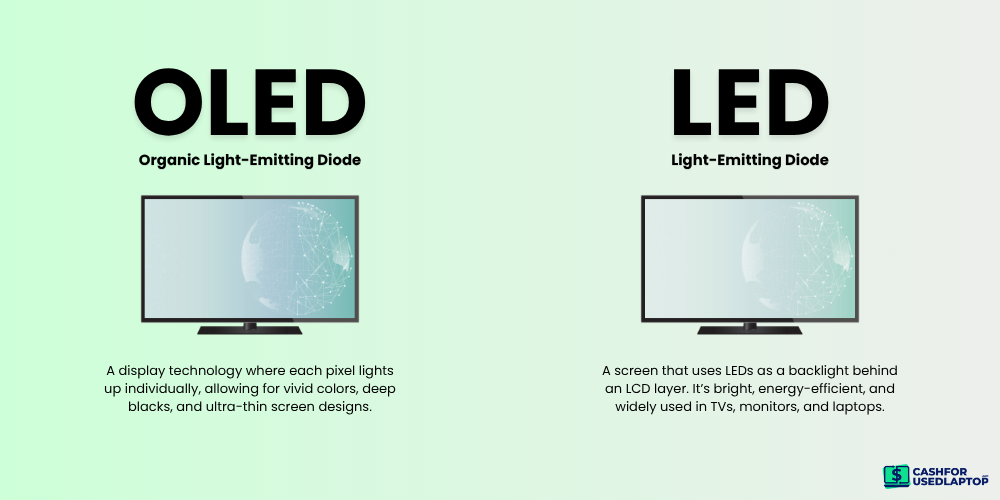
LED (Light Emitting Diode) displays rely on a backlighting system. The actual image is formed by an LCD (Liquid Crystal Display) panel, which cannot emit light on its own. Instead, it depends on LEDs positioned behind or along the edges of the screen to illuminate the image. In earlier models, these LED backlights were limited to a small number of lighting zones, resulting in poor contrast and dark areas that appeared gray rather than black. Modern LED displays have improved significantly, offering thousands of lighting zones for greater control and image precision.
OLED (Organic Light Emitting Diode) technology eliminates the need for backlighting altogether. Each pixel emits its own light and can turn on or off independently. This allows OLED screens to achieve perfect black levels, vibrant colors, and a higher degree of contrast, making them a preferred choice for high-end displays.
Benefits of LED Technology
If you’re ready to let go, sell your old laptop online, and upgrade your setup, it’s worth understanding the benefits of modern display technologies like LEDs. These displays continue to offer a solid balance of performance, efficiency, and versatility, especially when compared to other screen types.
1. Lower Power Consumption

Image Source: freepik.com/wirestock
LED screens are well-known for their energy efficiency. Compared to older LCDs with CCFL backlighting, LED-backlit displays consume significantly less power, which helps extend battery life in portable devices like laptops, tablets, and monitors. This lower energy use also contributes to reduced environmental impact over time.
2. Long-Lasting Performance

Image Source: freepik.com/freepik
LED displays typically have a longer lifespan than other backlit technologies. The LEDs used for illumination degrade more slowly, which means the screen maintains consistent brightness and image quality for years, an advantage for users looking for durability and long-term value.
3. Slim and Lightweight Design
Image Source: freepik.com/freepik
Because LEDs are compact and efficient, they allow manufacturers to build slimmer and lighter screens. This is especially beneficial in laptops and portable monitors, where size and weight play a key role in usability and convenience.
4. Brightness and Visual Clarity

Image Source: freepik.com/kstudio
LED screens offer excellent brightness levels, making them easier to view in well-lit environments or direct sunlight. Combined with high contrast ratios and sharp resolution, LED displays deliver clear visuals suitable for everything from everyday browsing to professional content creation.
5. Cost-Effectiveness
LED screen technology is more mature and widely adopted, which makes it more affordable than alternatives like OLED. For budget-conscious consumers or those seeking a dependable secondary device, LED displays remain a cost-effective option without major compromises in performance.
Benefits of OLED Technology
Whether you’re comparing the latest devices or searching for a laptop’s best alternatives, OLED screen technology stands out for its premium visual experience. Its unique properties offer several advantages that go beyond aesthetics and directly enhance usability, especially for those who value display quality.
1. Exceptional Color Accuracy and Contrast
OLED screens are best known for their incredible color precision and deep contrast. Since each pixel can turn on or off independently, OLED displays can achieve perfect blacks and lifelike colors without the need for a backlight. This results in stunning picture quality, especially useful for photo editing, video streaming, or any task where visual clarity matters.
2. Ultra-Thin and Lightweight Designs
Because OLED panels don’t require bulky backlighting, manufacturers can design devices that are remarkably thin and lightweight. This allows for sleeker laptops, tablets, and smartphones, perfect for students, professionals, and digital nomads who carry devices on the go.
3. Reduced Eye Strain and Better Viewing Angles
OLED screens often offer more comfortable viewing over long periods. The high contrast and natural color rendering reduce the strain on your eyes, while wider viewing angles ensure the display looks consistent no matter how you hold your device—ideal for group projects or shared screen time.
4. Energy Efficiency in Dark Mode
While OLEDs can use more power when displaying bright and full-color images, they are actually very efficient in dark mode or when showing darker content. Since black pixels are turned off completely, they consume no power at all and offer subtle energy savings over time, especially in daily-use devices.
5. Premium Display Experience
OLED displays are typically reserved for high-end devices, and for good reason. They deliver vibrant colors, fast response times, and a more immersive viewing experience, making them a standout feature in many of today’s best laptops for students, creatives, and professionals alike.
OLED vs. LED Monitor Technology: Which Is Right for You?
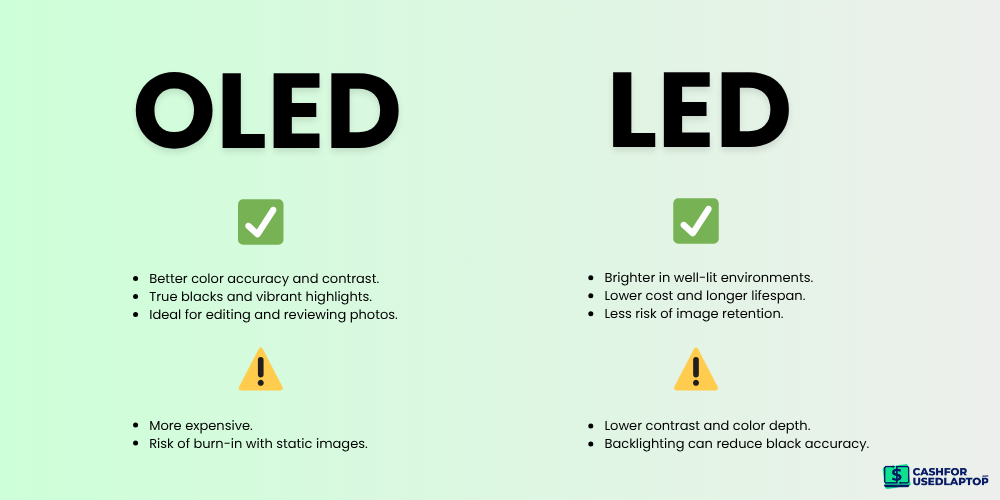
Now that you have a better grasp of how OLED and LED monitor technologies work, the next step is figuring out which one best suits your needs. The right choice often comes down to what you use your screen for.
|
Profession |
Best Choice |
Why |
|
Graphic Designer |
OLED |
Superior color accuracy and contrast; ideal for detailed visual work. |
|
Video Editor |
OLED |
Deep blacks and rich colors make it great for color grading and edits. |
|
Photographer |
OLED |
Excellent contrast and true-to-life tones for image reviewing. |
|
Software Developer |
LED |
Cost-effective, bright, and less prone to burn-in during static use. |
|
Office Professional |
LED |
Affordable and reliable for everyday productivity tasks. |
|
Architect |
OLED |
Crisp contrast and detail rendering support complex visual designs. |
|
Gamer (Casual/Pro) |
OLED |
Fast response time, rich visuals, and immersive blacks. |
|
Engineer (CAD Work) |
LED |
High-brightness, less risk of burn-in from static UI elements. |
|
Medical Imaging Analyst |
LED |
Consistent brightness and clarity important for diagnostic viewing. |
|
Financial Analyst |
LED |
Lower cost, long usage hours, less risk of retention from charts/grids. |
For Photographers, Designers, and Content Creators
If your work depends on precise color accuracy and contrast (like photography, video editing, or design), an OLED monitor is likely your best bet. Because each pixel lights up independently, OLED displays produce deeper blacks, richer colors, and virtually no halo effect around bright objects. That level of detail can make a great difference when you’re editing images or working with color-sensitive content.
Another big plus? OLED screens offer much better viewing angles than traditional LED/LCD monitors, so your visuals remain sharp and consistent whether you’re working across multiple screens or reviewing work with a client. Portable OLED monitors also make it easy to take that accuracy on the go.
For Gamers and Esports Players
If gaming is your priority, the choice gets a bit more nuanced. Many competitive gamers still prefer LED monitors with TN or IPS panels, especially for fast-paced games where every millisecond counts. TN panels may not have the best color or angles, but they do offer lightning-fast response times and minimal input lag, key features for serious esports players.
For more casual or immersive gaming, IPS panels offer better colors and viewing angles while still maintaining good response times. OLED monitors are entering the gaming scene too, but their higher price and potential for burn-in make them better suited to single-player or cinematic gaming experiences rather than all-night tournaments.
For Browsing and Office Work
If you’re simply browsing the web, streaming videos, or doing everyday office tasks, IPS and VA LED monitors offer a great balance of performance and affordability. IPS screens are known for solid color accuracy and wide viewing angles, making them perfect for multitasking and entertainment. VA panels, while not as vibrant, offer strong contrast and are usually more budget-friendly.
Both IPS and VA displays work well for office environments focused on documents, spreadsheets, and video calls. But if you’re involved in creative work or want a more energy-efficient, premium display, an OLED monitor could be worth the investment (just be mindful of the higher cost). Ultimately, your choice should reflect how you use your screen and what matters most to you: speed, color, budget, or portability.
OLED or LED: Which Is Better for the Environment?
When it comes to choosing a screen with the environment in mind, the conversation goes beyond picture quality or price. It’s about energy use, materials, and how easily the device can be recycled or disposed of. In this context, OLED displays often have a notable edge over traditional LED-backlit LCDs.
Material Usage and Recyclability
One of the biggest environmental advantages of OLED technology is its minimal material usage. For example, LG reports that a 65-inch OLED TV panel uses just 0.43 kg of plastic, compared to a whopping 5.2 kg in an equivalent-sized LCD panel. That’s over 12 times more plastic, much of which is made from mixed materials that are difficult or impossible to recycle. OLED panels also contain fewer layers and components overall, which makes disassembly and material recovery more straightforward during recycling.
Energy Consumption
Energy efficiency is another area where OLED excels. Because each pixel in an OLED screen emits its own light, there’s no need for a separate backlight. This not only allows for thinner, lighter designs but also reduces power consumption, especially when displaying darker content or using dark mode, which has become common in user interfaces. LED screens, on the other hand, rely on continuous backlighting, even when displaying black, which results in higher energy use over time.
Limitations to Consider
However, OLED isn’t without its trade-offs. These panels are more sensitive to image retention or burn-in, which can shorten their usable life in some high-use scenarios. Additionally, because OLEDs are more expensive to produce, some may hesitate to invest in them despite their long-term environmental benefits.
That said, as OLED manufacturing improves and demand increases, these challenges are gradually being addressed. If you’re upgrading your device, planning to sell your old laptop, or searching the solutions for recycling, opting for an OLED model could be a small but meaningful step toward reducing electronic waste and lowering your carbon footprint.
Key Takeaways
So, choosing between OLED and LED comes down to your priorities, whether that’s environmental impact, performance, or budget. Both technologies offer distinct advantages. The key is matching the screen to your specific needs and values.
Go with OLED if:
-
You prefer ultra-slim, modern designs
-
Lower power consumption matters to you
-
You want deep blacks and excellent contrast
Choose LED if:
-
You’re looking for a more affordable option
-
High refresh rates are essential (especially for gaming)
-
You need bright visuals for well-lit spaces
If you’re ready to buy an LED or OLED device and need a reliable platform to shop, check us out today to get the best options and prices!