Handling Laptops After Layoffs or Restructuring: What Smart Companies Do Next

Image Source: Freepik.com/CreativaImages
Layoffs and restructuring are just as uncomfortable for companies as they are for employees. They come with difficult decisions, emotional moments, and operational loose ends. One such loose end shows up in the IT room or the storage cupboards, where company laptops keep piling up, and nobody knows what to do.
At first, there is no urgency to get rid of these devices. They’re switched off, neatly stacked, and easy to ignore when the company has bigger priorities. But bear in mind, these laptops are not just pieces of hardware. They carry a lot of data, access points, and other valuable items that can become a problem if you do not manage them effectively.
It’s not just an IT task; it’s a business decision that will affect the company’s security, compliance, and more. However, the good news is that with the right approach, it can be one of the easiest problems to solve when the transition gets tough.
Why Unused Laptops Become a Risk Faster Than You Think?
Once laptops are no longer assigned to employees, they fall into a deep grey area. Cause they’re no longer in use, but they are not officially retired either, and this is where the problems tend to start.
Every company laptop is a storage device first and a piece of hardware second. All emails, internal documents, saved passwords, client data, and access credentials can remain on these machines long after an employee has left. Even if the laptop is switched off, the data remains.
And there is also the issue of accountability. Over time, it becomes harder to track who last used which device and what information it holds. This lack of visibility increases the risk of data exposure, non-compliance with privacy regulations, and internal security gaps.
But beyond security, these unused laptops quietly lose value. Technology depreciates quickly, and devices that could have been resold or reused today may be worth far less in a few months. Do not view this as a simple delay; it can quickly become a missed opportunity.
What “Responsible Handling” Actually Looks Like
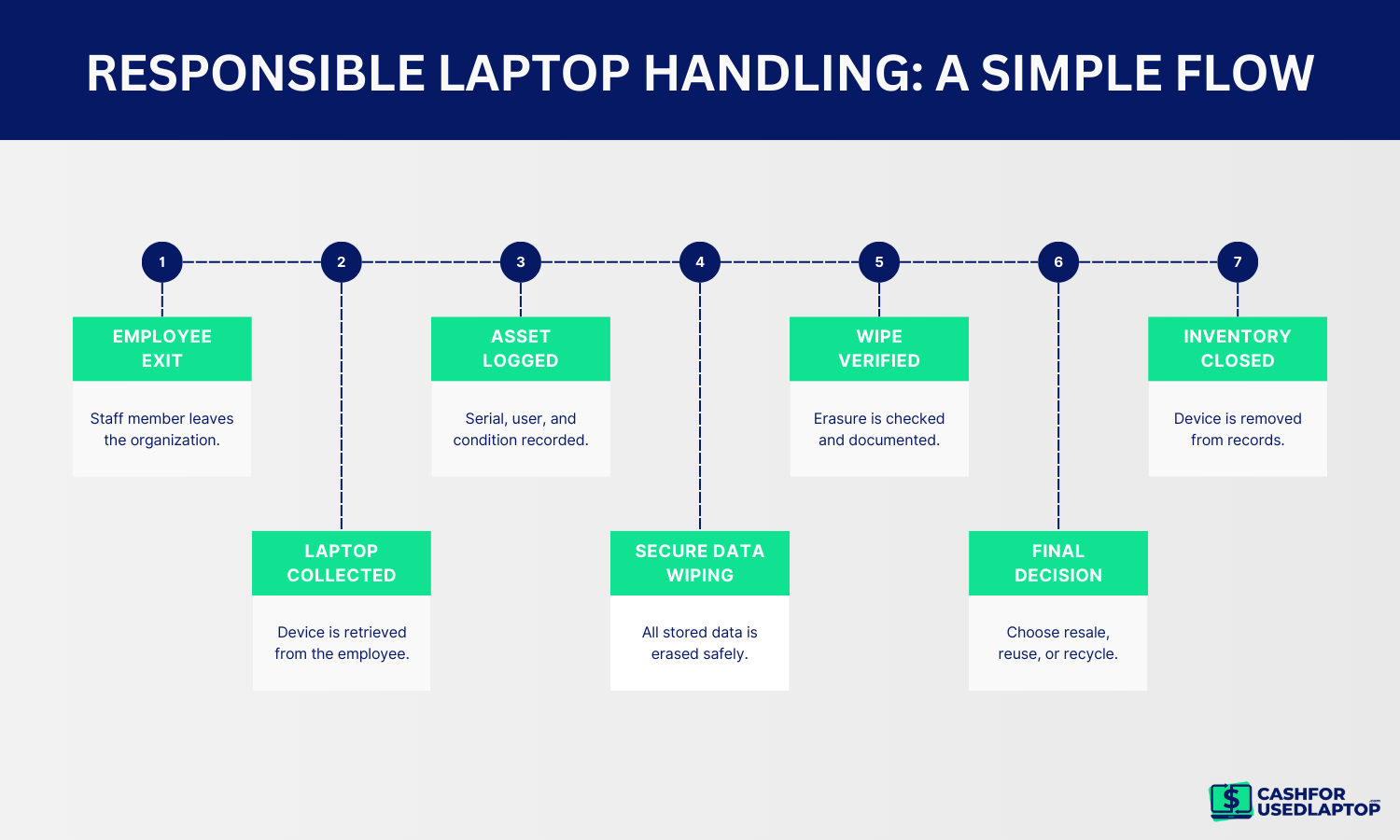
Responsible laptop handling starts with clarity. Every device needs to be identified, logged, and removed from circulation as soon as it is no longer assigned to an employee. This simple step prevents laptops from becoming forgotten assets.
The most critical part of the process is secure data destruction. Deleting files or resetting a device is not enough. Company laptops must be properly wiped using recognised data destruction methods to ensure that no recoverable information remains on the device.
Documentation matters just as much as the technical process. Keeping records of wiped devices, serial numbers, and dates helps companies stay compliant and confident that nothing has been overlooked. It also makes audits and internal reviews far easier to manage.
Once the data is securely removed, businesses can make informed decisions about next steps. Laptops can be resold, reused internally, or recycled responsibly. The key point is that the decision is intentional, not reactive.
When handled correctly, laptop offboarding becomes a controlled process rather than a lingering risk. To make this process easier to follow, many companies rely on a simple handling flow rather than ad-hoc decisions.
Turning Unused Laptops Into Recovered Value
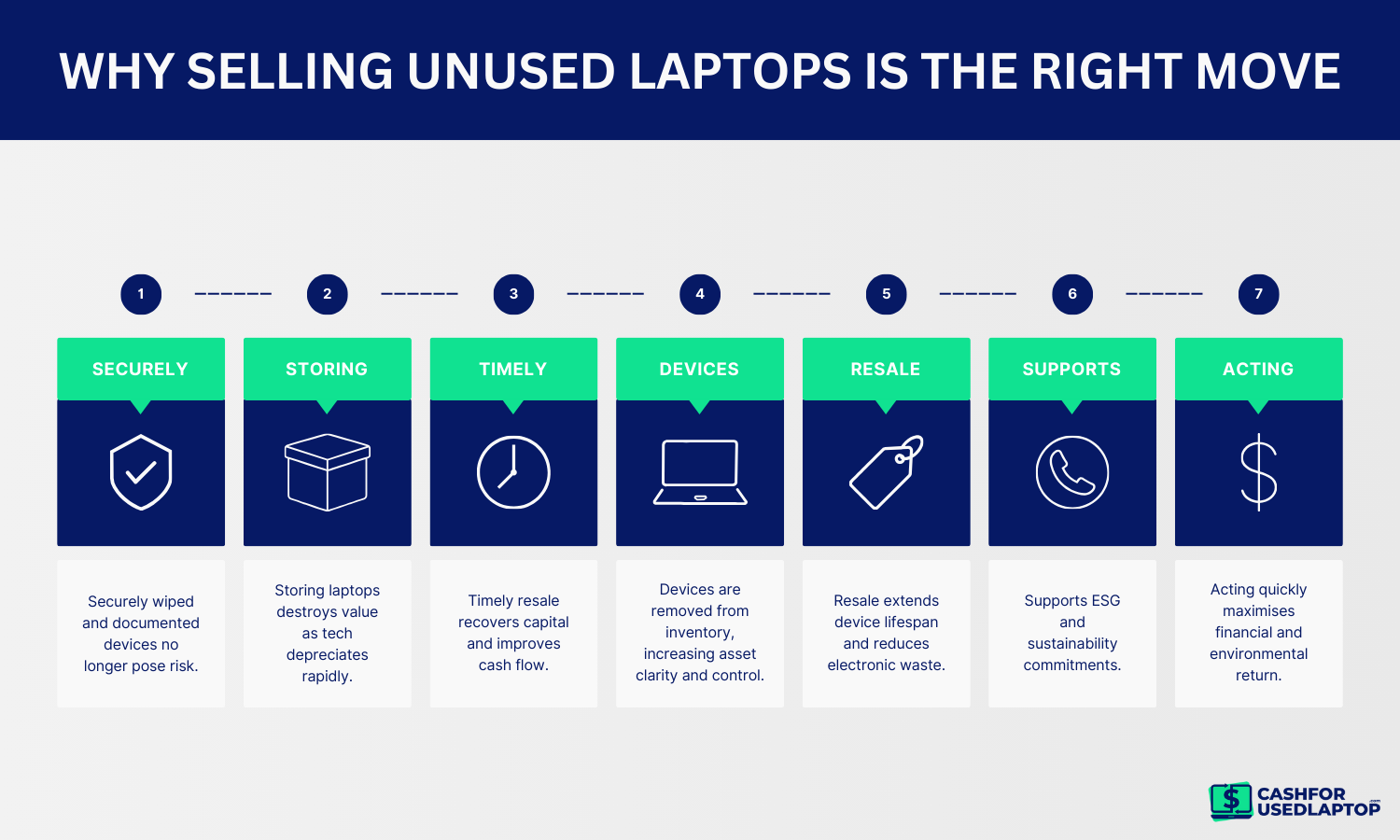
Once data has been securely wiped and devices are properly documented, unused laptops are no longer a risk. At that point, they become something else entirely and make you some money.
Many times, companies choose to store old laptops for later use. But in reality, storage almost never adds value. Technology ages quickly, and laptops that sit unused continue to depreciate while taking up space and resources. What could have been recovered today may be worth significantly less in a few months.
By selling unused laptops, businesses can recoup part of their original investment, which is especially valuable during layoffs or restructuring when cash is tight. It also creates clarity, and the devices are accounted for, removed from inventory, and no longer linger as forgotten assets.
There is also a sustainability benefit. You can extend the life of functional laptops through resale, reduce electronic waste, and support responsible consumption. For many companies, this aligns naturally with ESG goals and internal sustainability commitments.
The key here is timing and intent. And if businesses act quickly after secure data wiping, they maximise value while keeping the process controlled and efficient. What starts as an operational loose end can end as a smart financial and environmental decision.
Common Mistakes to Avoid
Even the most well-intentioned companies can mishandle laptops after layoffs. Here are mistakes we see most often and how they backfire:
1. Assuming a factory reset is enough
Simply logging out or pressing “reset” does not fully remove company or employee data. Sensitive files, cached passwords, or hidden user profiles can still be recovered.
2. Skipping serial numbers and inventory records
When IT teams forget to document devices during offboarding, it becomes impossible to track ownership, maintenance history, or warranty claims. Lost records can create compliance headaches during audits.
3. Delaying resale or recycling
Waiting to sell or recycle laptops until “later” often leads to missed opportunities. Devices lose market value quickly, and outdated tech is harder to move or repurpose.
4. Mixing personal and company data
Sometimes laptops are returned with personal files still on them. Without proper segregation, companies risk accidental data breaches or legal exposure.
5. Overlooking compliance regulations
Some businesses don’t follow internal or industry-mandated data destruction standards. Even small oversights can lead to fines or reputational damage if data is exposed.
Closing Thought
Even during layoffs or restructuring, handling your company’s laptops properly can make a significant difference. Those unused devices don’t have to sit in storage, collecting dust and quietly turning into a headache. With the right approach, they can actually become valuable assets.
That’s where Cash For Used Laptop comes in. We help businesses turn idle laptops into cash quickly, safely, and hassle-free. Every device is securely wiped, properly documented, and evaluated to ensure you receive fair resale value. No hidden risks, no messy backlogs—just a simple way to recover money and free up space.
So instead of stressing over stacks of forgotten laptops, you can close the loop confidently, stay compliant, and even support your sustainability goals. It’s a smart, practical move that keeps your business secure.