When Is the Best Time to Sell Your Laptop for Maximum Value?
Is your laptop still “good,” or is it just familiar at this point?
That question matters more than most people realize. A laptop does not hold its value in a straight line. It stays steady for a while, then drops in steps that often go unnoticed. One year, it feels perfectly fine; the next, it is quietly sitting below newer models that look faster, lighter, and more efficient on paper. The tricky part is that nothing has to break for the value to fall. A new release, a change in processor standards, or even shifting buyer expectations can push your device into a lower price bracket overnight.
Most people only think about selling when performance becomes annoying. By then, a good portion of the resale value is already gone. Knowing when to sell is less about waiting for problems and more about recognizing when your laptop is still relevant in the market. This guide focuses on how to spot that moment before it passes.
Understanding Laptop Depreciation (Why Timing Matters)

Laptop depreciation doesn’t happen slowly in a neat, predictable line. It drops in steps, and the biggest drops usually happen much earlier than most people expect. In many cases, a laptop can lose around 20% to 40% of its value in the first year alone, even if it is still working perfectly fine. After two years, that loss can exceed 50%, depending on brand, condition, and specs.
This is not only about age. It is about how quickly newer models change what “normal” looks like in the market.
What drives the drop
-
New processor generations arrive every 12–18 months, making older chips feel outdated faster
-
Battery health quietly reduces resale appeal even if performance is fine
-
Storage type and RAM level now set expectations, not upgrades
-
Buyer comparison shifts immediately when a new model launches
Typical depreciation pattern
-
Year 1: 30–40% value loss in most laptops
-
Year 2: Often crosses the 50–60% mark
-
Year 3+: Value stabilizes, but at a much lower range unless it is a premium device
Why premium laptops behave differently
-
High-end models like MacBooks or business-grade laptops hold value better
-
Budget laptops drop faster due to weaker build and lower demand
-
Gaming laptops often lose value more quickly because GPU generations change fast
The real pressure point is not when the laptop stops working. It is when newer models start setting a higher baseline for speed, battery life, and design. Once that happens, your device does not feel “old” to you first—it feels overpriced to the buyer first.
The “Sweet Spot” Window: 2 to 3 Years After Purchase
If there is one timeframe that consistently gives the best resale outcome, it is usually between two and three years after buying a laptop. This is the stage where your device is still competitive in performance but has not yet been overtaken by newer standards in the market.
At this point, most laptops still handle everyday work, browsing, and even heavier tasks without major complaints. At the same time, buyers are not comparing them to the latest flagship features as aggressively as they would after the 3–4 year mark.
Why this window works
-
The laptop is still compatible with the latest operating systems and updates
-
Performance is “good enough” for most buyers, which keeps demand stable
-
Major depreciation has already happened, so further loss is slower

According to resale market patterns tracked across major marketplaces, laptops typically retain around 40–60% of their original value at the 2-year mark, depending on brand and condition.
What shifts after 3 years
-
Buyers start prioritizing battery health more heavily
-
Newer processors make older chips feel less efficient
-
Repair risk perception increases, even if the device is fine
Practical signs you are still in the sweet spot
-
Your laptop runs current software without forced workarounds
-
Startup and multitasking still feel responsive
-
It has not yet missed a major OS upgrade cycle
The sweet spot is not about squeezing maximum life out of your laptop. It is about selling while it still fits into today’s expectations, not yesterday’s standards.
Sell Before Major Product Launch Cycles
One of the most overlooked timing mistakes is waiting too close to a new laptop release cycle. The moment a newer model is announced, even before it hits the market, the perceived value of older versions starts slipping.
This happens because buyers mentally shift their comparison point immediately. Your laptop is no longer judged on what it can do today, but on what the new version might do better tomorrow.
Why launch cycles matter
-
New releases reset buyer expectations instantly
-
Older models are compared against improved specs, even if price drops have not fully adjusted yet
-
Online listings for older laptops see slower response rates after announcements
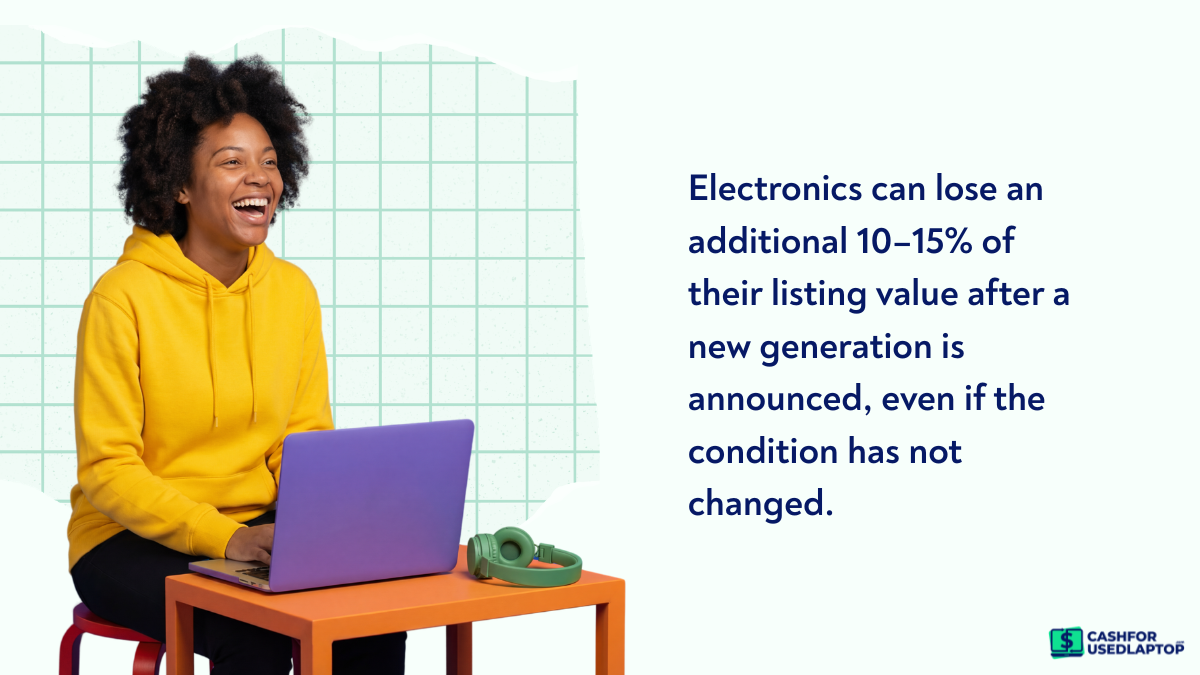
A study of resale platforms shows that used electronics can lose an additional 10–15% in listing value shortly after a new generation is announced, even if the device condition has not changed.
Common product cycles to watch
-
Apple: MacBook updates typically follow an annual or 18-month cycle
-
Intel: New processor generations often shift market standards every year or so
-
AMD: Ryzen updates can quickly change price expectations in gaming and performance laptops
Best timing strategy
-
Sell before announcement events, not after
-
Monitor tech news cycles rather than waiting for your laptop to feel outdated
-
If a new generation is expected soon, consider listing early while comparisons are still neutral
The real drop does not start when your laptop becomes slow. It starts when something better becomes the reference point.
Components That Affect Value the Most
When you look at which laptop components age the fastest, it is rarely the whole device that becomes “old” at once. Instead, a few key parts start dragging down resale value much earlier than others, even if the laptop still runs smoothly. These include:
Battery health
This is usually the first thing buyers check, and it directly impacts price. Even if everything else is fine, weak battery performance makes a laptop feel worn out.
-
Most laptop batteries begin showing noticeable decline after a few hundred charge cycles
-
Lower battery health often leads to price cuts or negotiation pressure
-
Buyers factor in replacement cost, even if they do not plan to replace it immediately
Storage drive condition and type
Storage does not just affect speed; it affects perception of modern usability.
-
Older HDD-based laptops are now considered outdated in most markets
-
Smaller SSDs feel limiting as software and files grow larger
-
Faster NVMe SSDs have become a baseline expectation in newer devices
RAM and performance expectations
RAM does not physically degrade like a battery, but its relevance changes quickly.
-
8GB RAM is now seen as entry-level for basic use
-
16GB has become the standard for smooth multitasking
-
Older memory types or lower capacity reduce buyer interest
Processor and graphics performance
This is where most differences in resale value arise.
-
New CPU generations shift performance expectations every 12–18 months
-
Older GPUs lose appeal faster in gaming and creative markets
-
Buyers compare generation-to-generation, not just real-world usage
When thinking about which laptop components most affect longevity, the real issue is not physical wear alone. It is how quickly each part stops meeting current expectations. The faster that happens, the faster your laptop drops in value, even if it still feels usable to you.
Seasonal Demand and Timing Your Sale
Laptop prices do not stay fixed throughout the year. Demand moves in waves, and if you list your device at the wrong time, you often end up negotiating harder than you should. It also moves with buying seasons, and certain periods, such as Christmas or Halloween seasons, naturally bring more demand than others.
Stronger demand periods
-
Back-to-school months, when students are actively upgrading
-
Holiday season, when gifting increases overall tech purchases
-
Early-year periods, when professionals refresh their setups
Slower demand periods
-
Mid-year gaps between major buying cycles
-
Post-spending periods when buyers pause larger purchases
-
Short windows before new product announcements, when people wait instead of buying
What this means for sellers
-
Strong demand periods can help you sell faster and closer to your asking price
-
Slow periods often lead to longer listings and more negotiation pressure
-
The same laptop can feel “expensive” or “fairly priced” depending on timing alone
You are not just selling a laptop. You are selling it into the mood of the market. Picking the right moment can sometimes add more value than upgrading specs ever could.
Before vs. After Upgrading: When Should You Sell?
Most people naturally wait until they have already bought a new laptop before selling the old one. It feels safer that way. There is no gap in usage, no pressure to stay without a device, and everything seems more convenient. The problem is that this timing often reduces how much money you actually recover.
Once a new laptop is in your hands, the older one usually becomes an “extra” item. At that point, urgency drops, and buyers tend to sense that listings are flexible, which often leads to lower offers.
Selling before you upgrade
-
You usually get a higher resale value because the device still feels current in the market
-
The money from the sale can directly reduce the cost of your new laptop
-
You avoid holding two devices at once, even briefly
Selling after you upgrade
-
More comfortable because you are never without a working device
-
Less pressure during the selling process
-
But the older laptop typically loses value faster during this delay
A practical approach
-
Check resale value before you buy a new device, not after
-
List your laptop while it still feels relevant in the market
-
Back up your data early and reset the device before listing, so you are not rushing the process later
Whether you should sell your laptop before or after upgrading depends on timing discipline. If you wait until after the upgrade, you gain comfort but usually lose money.
How Laptop Condition Changes Timing?
Two laptops bought in the same year can end up with completely different resale values, and the difference usually comes down to condition rather than age. A well-maintained device can stay “sellable” for longer, while a heavily used one starts losing value much earlier, even if it still turns on and runs normally.
Condition quietly shapes how buyers judge risk. A clean, well-kept laptop feels safer to buy, which gives you more time before the price drops sharply. On the other hand, visible wear or performance issues push buyers to negotiate harder right away.
Factors that extend the resale value window
-
Minimal scratches or physical wear on the body and screen
-
Strong battery health with decent charge backup
-
Original box, charger, and accessories still available
These details may seem small, but they build buyer confidence and slow down price decline.
Factors that shorten the resale window
-
Screen damage or visible display issues
-
Keyboard or trackpad problems that affect daily use
-
Limited storage or older RAM setups that feel restrictive today
Condition does not just affect price. It changes how long your laptop stays “acceptable” in the market and directly impacts your ability to extend your laptop’s lifespan in terms of resale value and usability. The better it is maintained, the more control you have over when you decide to sell.
Marketplaces and Resale Strategy
Where you sell your laptop can change both how quickly it sells and the price you end up getting. Timing sets the opportunity, but the platform decides how that opportunity actually plays out.
Different selling routes attract different buyers, and each one behaves in a slightly different way when it comes to pricing and negotiation.
Peer-to-peer platforms
These usually give you the highest return because you are dealing directly with buyers.
-
Higher resale value compared to other options
-
More flexibility in negotiation
-
Slower process since you handle listings, messages, and trust yourself

Marketplaces like eBay are commonly used here, where buyers tend to compare listings closely before making a decision.
Trade-in programs
These focus on speed and convenience rather than maximum value.
-
Fast and straightforward process
-
Fixed or algorithm-based pricing
-
Lower payout compared to private sales

Retail ecosystems like Amazon offer trade-in options where ease matters more than maximizing resale value.
E-commerce resale platforms
These sit between convenience and better pricing, especially for used electronics.
-
Structured selling process with quicker payouts than peer-to-peer
-
Better pricing than trade-in programs in many cases
-
Less effort compared to managing individual buyers
Platforms such as CashForUsedLaptop also operate in this space, focusing specifically on buying used devices quickly for resale.
Local buyers
This remains the most direct option, but also the least predictable.
-
Immediate cash transactions
-
Pricing depends heavily on negotiation
-
Can vary widely based on demand and location
The value of your laptop is not fixed. It shifts depending on where you sell it. Choosing the right marketplace can sometimes make as much difference as choosing the right time to sell.
Quick Checklist: Is It Time to Sell Your Laptop?
Sometimes the decision is less complicated than it feels. Instead of overthinking timing, you can look at a few clear signals and get a practical answer in minutes.
-
Is your laptop older than 2–3 years?
-
Is a newer model or generation about to launch?
-
Has performance started to feel slower in normal use?
-
Is the current demand in the market still strong?
-
Is the device still in good physical condition overall?
Each of these points reflects a different pressure on resale value. Age affects expectations, launches change comparisons, performance influences buyer interest, demand affects how fast it sells, and condition decides how much confidence buyers have.
Simple rule of thumb
If most of your answers lean toward yes, you are likely in a good window to sell. Waiting longer usually does not improve value. It only reduces the range of buyers willing to pay what the device is currently worth.
Conclusion
Selling a laptop is less about waiting for it to stop working and more about catching the right moment while it still holds value in the market. Age, condition, demand, and timing all play a role in how much you can get back. If you sell while your device is still relevant and in good shape, you protect more of its worth instead of watching it slowly fade over time.