Can You Sell a Water-Damaged Laptop for Cash?
Published on
Have you ever knocked over a cup of coffee near your laptop and immediately felt that sinking panic?
It only takes a few seconds for water to seep into a keyboard, yet the damage can feel permanent the moment the screen flickers or the device shuts off. And it happens more often than most people realize.
Industry repair data shows that liquid spills are among the leading causes of accidental laptop damage worldwide. According to reports from the device repair industry, millions of electronic devices suffer liquid-related damage every year, and repair technicians consistently rank water exposure among the most common hardware issues they handle.
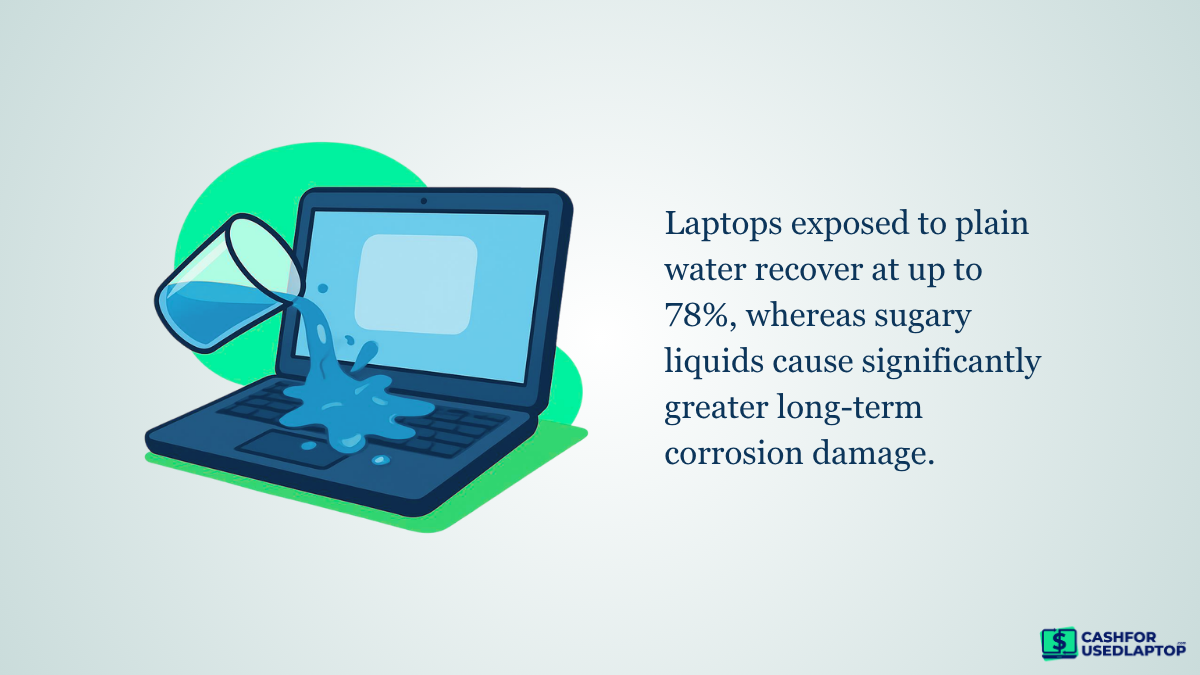
Whether students are rushing through assignments or professionals are working beside their morning coffee, a small accident can quickly turn an expensive device into seemingly useless hardware. Some repair statistics show that laptops exposed to plain water have recovery rates as high as 78%, while sugary drinks like soda or juice cause far more severe long-term corrosion damage.
However, damage isn’t always uniform; components like the screen, SSD, RAM, GPU, battery, or outer casing can still be functional or salvageable. The global electronics refurbishment and recycling industry thrives because damaged devices often contain recoverable parts and materials that buyers seek. Instead of discarding the device or storing it unused, many owners are realizing they can sell water-damaged laptops for cash.
The resale value depends on factors such as damage severity, model, and remaining functional parts. Knowing how buyers assess these devices can help you determine if your damaged laptop still has value.
What Happens When a Laptop Suffers Water Damage?
Modern laptops contain tightly packed internal components, so even a small liquid spill can quickly spread beneath the keyboard and reach critical hardware. In many cases, the biggest threat is not the water itself but the minerals, sugar, or acidic residue left behind by drinks like coffee or soda. Once moisture reaches the motherboard or power circuits, it can trigger corrosion, electrical shorts, and permanent hardware damage.
The severity of the damage usually depends on:
- The type of liquid spilled
- How much liquid entered the laptop
- How long the device stayed powered on after exposure
- Whether moisture reached the motherboard or battery area
A minor spill may only affect the keyboard or trackpad, while heavier exposure can damage the motherboard, SSD, charging circuit, or display connectors. According to electronics repair professionals, corrosion can begin developing within hours if trapped moisture is not removed properly.
Some devices continue working temporarily before issues appear, while others shut down immediately after the spill. This variation is what separates minor liquid exposure from severe internal damage.
Minor Spills vs. Severe Liquid Exposure
Not all water damage affects a laptop the same way. In some cases, the spill remains limited to surface-level components, while in others, liquid reaches critical internal circuitry and causes permanent hardware failure.
• Minor Liquid Spills
A minor spill typically impacts external parts like the keyboard or trackpad. For instance, a small amount of water near the keyboard can cause sticky keys or temporary typing problems without harming the motherboard. In such cases, the laptop still generally powers on normally, charges properly, runs applications smoothly, and retains higher resale value. Since core internal hardware usually remains intact, these laptops are often simpler and less costly to repair.
• Severe Water Exposure
Severe liquid exposure creates more serious internal damage. If moisture reaches the motherboard or power circuitry while the device is running, it can instantly short electrical pathways. Since the motherboard controls major functions like processing, charging, and display output, repairs become significantly more expensive.
The type of liquid also plays a major role. Plain water is generally less harmful than sugary or acidic drinks. Liquids such as:
-
Coffee
-
Soda
-
Energy drinks
-
Juice
They leave conductive residue behind, increasing the risk of corrosion even after the laptop dries. As a result, two laptops with similar spills may end up with very different repair outcomes and resale values.
As internal damage spreads, the warning signs usually become more noticeable.
Common Signs of Water Damage in a Laptop
A clear sign of serious liquid damage is a laptop that won’t power on. This usually happens when water causes a short circuit in the motherboard or battery system. Sometimes, the device may briefly show charging lights before shutting down again.
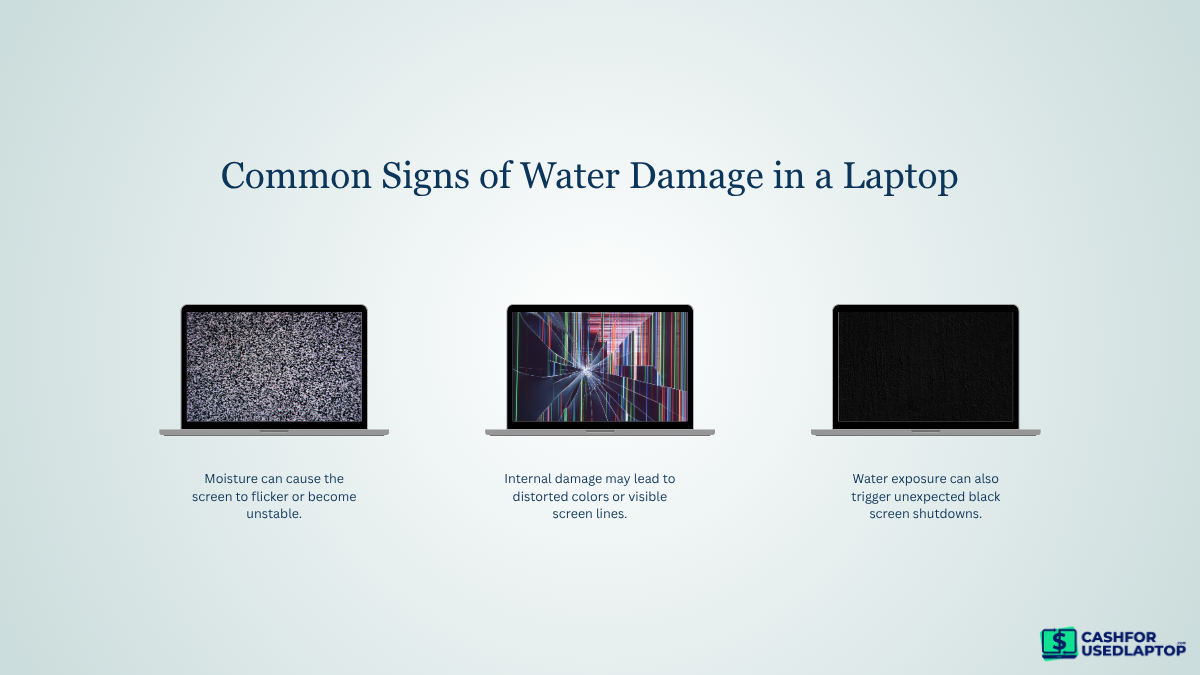
Display issues often appear when moisture reaches internal connectors or graphics components, leading to:
-
Flickering or unstable screen
-
Distorted colors or lines
-
Random black screen shutdowns
Keyboard damage is also common since liquid usually enters through it first. You may notice unresponsive keys, repeated characters, or sticky keys after drying.
Overheating can occur when corrosion affects cooling or power components, causing the laptop to heat up quickly, shut down unexpectedly, or drain battery faster than usual.
Even with these symptoms, the laptop isn’t necessarily useless. Buyers evaluate and quote based on whether the internal parts are still functional, which is why it can retain resale value despite visible damage.
Can You Actually Sell a Water-Damaged Laptop?
Yes, in many cases, you can still sell a water-damaged laptop for cash. Even if the device no longer turns on, it may contain valuable parts that remain functional. This is one reason the refurbished electronics market continues to grow, with repair companies and recyclers actively purchasing damaged devices for recovery purposes.
Why Water-Damaged Laptops Still Have Value
For buyers, the value of a damaged laptop is rarely determined by a single issue alone. Instead, they evaluate whether specific components and parts can still be reused or repaired.
Commonly recoverable parts include:
-
SSD or hard drive
-
RAM modules
-
Laptop screen
-
Battery
-
Cooling fans
-
Keyboard and casing
A damaged motherboard may reduce the overall value significantly, but working components can still retain demand in repair and refurbishment markets.
Premium Models Often Retain More Resale Potential
Newer laptops and premium models tend to retain higher resale value even after water damage. Brands like Apple MacBook, Dell XPS, Lenovo ThinkPad, and ASUS ROG gaming laptops often have high-demand replacement parts. Because original components for these models can be costly, repair shops often buy damaged laptops to source affordable, usable hardware.
Recycling Also Creates Monetary Value
Fully damaged laptops still hold value by being recycled for electronics. Many organizations operate as electronic recyclers, offering cash. These specialized recyclers recover materials such as:
-
Aluminum
-
Copper
-
Lithium
-
Circuit board metals
These materials can be processed and reused in manufacturing. Although recycling-based offers are usually lower than refurbishment offers, they still provide an opportunity to recover some cash instead of discarding the laptop entirely.
At the same time, not every damaged and old laptop receives the same offer. Buyers usually examine several factors before deciding how much a device is worth, including the laptop’s age, model, physical condition, and the severity of the liquid damage itself.
What Determines the Value of a Water-Damaged Laptop?
Not every water-damaged laptop receives the same offer. Buyers usually calculate value based on how repairable the device is, which components still work, and how strong the demand is for that specific model in the resale market.
1. Brand and Model
The brand and model of a laptop greatly affect its resale value. Premium brands like Apple’s MacBooks tend to fetch higher prices, and models such as the Dell XPS often retain more value because their replacement parts are costly and commonly reused in repairs.
Newer laptops also tend to receive better offers, even when damaged. For example, a two-year-old MacBook with liquid damage may still hold significant parts value, while a ten-year-old budget laptop with similar damage may have limited demand.
In many cases, buyers specifically search for:
-
High-end business laptops
-
Gaming laptops
-
Recent MacBook models
-
Devices with upgraded specifications
Because these models remain in active use, their components are more valuable in the refurbishment market.
2. Severity of Water Damage
Liquid exposure significantly influences the value of a device. A laptop that has minor water damage but still powers on is typically more valuable than one that is completely non-functional due to motherboard failure. Buyers tend to assess whether the device powers on, charges, is operationally stable, and shows any signs of internal corrosion.
For instance, a laptop with a damaged keyboard but a working motherboard may still qualify for refurbishment, whereas severe motherboard damage often reduces the device to parts-only value.
3. Physical Condition
External conditions also influence resale offers because cosmetic damage raises refurbishment costs. Buyers often check for: screen cracks or pressure marks on the display, damaged charging or USB ports, bent hinges or dents on the casing, and missing keys or trackpad problems.
A laptop that looks physically clean but has internal water damage might still get a higher offer than one with damage both inside and out.
4. Internal Component Condition
Even when the laptop itself is unstable, certain internal components may still hold value independently.
These commonly evaluated parts include:
-
SSD or hard drive condition
-
RAM functionality
-
Battery health
-
Display usability
-
Motherboard repairability
For example, a functioning SSD from a damaged laptop can still be reused or resold, especially in newer systems with higher-capacity storage.
5. Market Demand for Parts
Some laptop models have stronger repair-part demand than others. Devices commonly used by businesses, students, or gamers usually maintain a larger secondary market because repair shops frequently need replacement components.
High-demand models often include:
As a result, two laptops with similar issues may receive very different offers depending on current market demand.
Because buyers assess multiple factors together, proper preparation can often help maximize the final offer. Even simple steps like accurately describing the damage, cleaning the laptop, and including accessories may improve resale potential.
What Should You Do Before Selling a Water-Damaged Laptop?
Before selling a water-damaged laptop, a few practical steps can directly influence both safety and resale value. Buyers typically assess not only the damage itself but also how responsibly the device has been handled after the incident. Preparing it correctly ensures a smoother evaluation process and reduces the risk of further deterioration.
1. Stop Using the Device Immediately
Once liquid damage occurs, continued use can significantly worsen internal corrosion. Powering on a damp motherboard can cause short circuits that permanently damage components that were initially recoverable.
For example, a laptop that might have only needed a keyboard replacement can become completely unrepairable if repeatedly turned on after exposure.
2. Back Up or Remove Personal Data
If the laptop still turns on, data protection should be a priority before selling. Storage devices like SSDs or HDDs often remain functional even when other components fail.
-
Transfer files to an external drive or cloud storage
-
If the laptop does not boot, professionals can sometimes recover data directly from the storage drive
-
Remove or securely wipe sensitive files if access is still possible
This step is especially important because buyers often reuse storage drives if they remain intact.
3. Be Honest About the Damage
Accurate disclosure of the damage is essential during evaluation. Buyers rely on condition descriptions to estimate repair costs and resale value.
For example:
-
A laptop described as “minor spill, still powers on” receives a different valuation than one listed as “dead motherboard.”
-
Hidden damage often leads to revised offers after inspection, which delays the process
Clear and honest reporting helps ensure the initial quote is closer to the final payout.
4. Clean and Dry the Laptop
Before shipping or inspection, basic cleaning improves handling and presentation. While it won’t reverse internal damage, it helps prevent further residue buildup and makes inspection easier.
Practical steps include:
-
Wiping exterior surfaces with a dry microfiber cloth
-
Ensuring all visible moisture is gone
-
Allow the device to air dry in a ventilated space if recently exposed
Avoid using heat sources like hair dryers, as excessive heat can worsen internal damage.
5. Gather Accessories if Available
Including original accessories can slightly improve resale value, especially for higher-end models. Buyers often prefer complete units because parts like chargers are model-specific and costly to replace.
Useful items include:
-
Original charger and cable
-
Laptop box or packaging
-
Any removable storage or adapters
Even if the laptop itself is damaged, these accessories can support refurbishment or resale completeness.
Once these steps are completed, the next logical step is identifying the right place to sell. Different buyers—ranging from online buyback services to local repair shops—offer varying prices based on how they plan to reuse or recycle the device.
Where Can You Sell a Water-Damaged Laptop for Cash?
Once a laptop is affected by water damage and properly prepared for sale, the next step is choosing the right selling channel. Each option differs in terms of convenience, pricing, and the type of buyer you’re dealing with.
• Online Laptop Buyback Companies
Online buyback platforms are one of the most practical ways to sell a water-damaged laptop. These services specialize in purchasing used and non-working devices, including laptops that may not power on at all.
For example, Cash for Used Laptop provides a structured process where users can submit device details, receive a quote, and ship the laptop for inspection. Once verified, payment is processed quickly.
This method is preferred by most non-technical sellers because it removes the need for negotiation, direct buyer interaction, or technical evaluation.
• Local Repair Shops
For laptops with partially functioning components, there is also an option to visit a local shop or an expert for repair. These shops usually evaluate whether the device can be fixed or dismantled for parts.
In many cases, the offer depends on the technician’s evaluation on the spot, which means pricing can vary significantly. While this option allows immediate cash transactions, the valuation process is less standardized compared to online buyers.
• Peer-to-Peer Marketplaces
Another alternative is selling via peer-to-peer platforms, which can sometimes yield higher offers, especially if the laptop powers on or has visible functional parts.
However, this method demands more effort from the seller. Buyers typically request detailed testing, photos, and prolonged communication before completing a purchase. When dealing with water-damaged laptops, this can delay the process and create negotiation uncertainties, particularly if the damage isn’t straightforward to verify.
• Electronics Recycling Buyers
For laptops that are completely non-functional, electronics recycling buyers become the most practical option. These buyers are focused on recovering materials and usable internal components rather than restoring the device.
Although payouts are generally lower, this option ensures that even severely damaged laptops still hold some monetary value instead of being discarded entirely.
Is It Better to Repair or Sell a Water-Damaged Laptop?
Instead of looking at repair vs. selling as a general choice, it becomes much clearer when you compare both options based on specific conditions. The table below breaks it down in a practical way so you can quickly decide what makes more financial sense.
Repair vs. Sell — Practical Comparison
|
Situation / Factor |
Repair Makes More Sense |
Selling Makes More Sense |
|
Device Age |
2–3 years old or newer models with high resale value |
4–6+ years old with heavy depreciation |
|
Extent of Water Damage |
Minor spill, limited to keyboard or surface components |
Liquid reached the motherboard or caused a short circuit |
|
Device Condition |
Laptop still powers on or shows partial functionality |
The laptop does not power on at all |
|
Repair Type Required |
Small component replacements (keyboard, battery, ports) |
Major repairs like motherboard replacement or multiple part failures |
|
Repair Cost vs Value |
The repair cost is significantly lower than the post-repair market value |
Repair cost approaches or exceeds expected resale value |
|
Risk Level |
Low risk, predictable repair outcome |
High risk, possible hidden corrosion or future failure |
|
Best Outcome |
Restores full device usability and long-term use |
Immediate cash recovery from the remaining hardware value |
Common Mistakes to Avoid When Selling a Water-Damaged Laptop
When selling a water-damaged laptop, small missteps can directly reduce its value or delay the selling process. Since buyers assess both condition and handling history, avoiding these mistakes helps ensure a smoother and fairer transaction.
• Hiding the Damage
Not clearly stating the extent of water damage is one of the fastest ways to lose trust during evaluation. Buyers typically test the device upon arrival, and any mismatch between description and actual condition often leads to revised offers.
Being accurate from the start helps ensure the initial quote is realistic and reduces the chance of price drops later.
• Attempting DIY Repairs
Untrained repair attempts often make water damage worse rather than better. Common actions like applying heat or trying to open components without tools can push moisture deeper or damage connectors.
Instead of improving value, these attempts usually reduce repairability, especially when the motherboard or internal circuits are affected.
• Waiting Too Long to Sell
Water damage does not stay static. Even after the laptop dries on the surface, internal corrosion can continue to spread over time.
Delaying the sale increases the risk of:
-
Further component degradation
-
Lower functionality of recoverable parts
-
Reduced resale value overall
Selling sooner helps preserve whatever usable value remains.
• Not Protecting Personal Data
Storage drives in damaged laptops often remain partially or fully accessible. If the device still works, personal files should be removed or securely erased before selling.
In cases where the laptop does not boot, removing the storage drive (if possible) ensures sensitive data is not exposed during resale or refurbishment.
• Accepting the First Offer Without Checking Alternatives
Water-damaged laptops are valued differently depending on the buyer’s repair capabilities and parts demand. Accepting the first offer without comparison can result in leaving money on the table.
Even a quick comparison between a couple of buyers can give a clearer idea of the laptop’s actual market value.
Avoiding these mistakes helps ensure that the laptop is evaluated fairly and that its remaining value is not reduced by handling errors or rushed decisions.
Conclusion
Water-damaged laptops can sometimes be more valuable than they seem at first glance. Even if a device ceases to function, many internal parts may still have resale or recycling worth, depending on the extent of the damage and the overall condition of the laptop.
The resale value is primarily influenced by current market demand, the brand and model, the level of liquid exposure, physical condition, internal component health, etc. These factors help determine whether a laptop can be repaired, used for parts, or should be recycled.